缩略图显示和鼠标悬浮大图显示
114660 JS | 2014-11-18-
图片按照小图显示,但是当鼠标悬移的时候,出现一个图层,显示大图。
<!DOCTYPE HTML PUBLIC "-//W3C//DTD HTML 4.0 Transitional//EN">
<HTML>
<HEAD>
<TITLE> New Document </TITLE>
<META NAME="Generator" CONTENT="EditPlus">
<META NAME="Author" CONTENT="">
<META NAME="Keywords" CONTENT="">
<META NAME="Description" CONTENT="">
</HEAD>
<SCRIPT LANGUAGE="JavaScript">
<!--
var width = 300;  //设置层 宽
var height = 300; // 设置层 高
function init(){
document.all.im.width = width;
document.all.im.height = height;
}
function a( e ){
document.all.im.src = e.src;
document.all.d.style.left = event.x;
document.all.d.style.top = event.y;
document.all.d.style.display = "";
}
function b(){
 document.all.d.style.left = 0;
document.all.d.style.top = 0;
document.all.d.style.display = "none";
}
//-->
</SCRIPT>
<BODY onload="init()">
<input type="image" width=100 height=100 src="01.jpg" onMousemove="a(this)" onmouseout="b()">
<input type="image"  width=100 height=100 src="02.jpg" onMousemove="a(this)" onmouseout="b()">
<input type="image"  width=100 height=100 src="03.jpg" onMousemove="a(this)" onmouseout="b()">
<div id="d" style="position:absolute;left=0;top=0;display:none;border: 1px #FF00FF solid;" >
<input id="im" type="image">
</div>
</BODY>
</HTML>
效果如下:
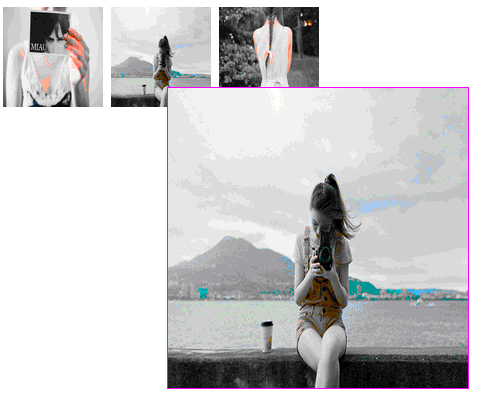
功能虽然简单,不过是老代码,搬过来而已。
-
猜你喜欢
- 个人资料
-

Java小强
未曾清贫难成人,不经打击老天真。
自古英雄出炼狱,从来富贵入凡尘。
- 站内搜索
-
- 文章分类
- 最新文章
- 热门文章
发表评论: