VirtualBox安装Ubuntu20时界面显示不全
17860 服务器 | 2026-1-23-
VirtualBox is a general-purpose full virtualization software for x86_64 hardware (with version 7.1 additionally for macOS/Arm and with version 7.2 also for Windows/Arm), targeted at laptop, desktop, server and embedded use.
官方:https://www.virtualbox.org/

一般我们都是在Win上面安装vmware来安装其他我们需要的系统,在Linux类系统上,如果想要实现同样操作,最简单的就是安装一个VirtualBox。
这次在VirtualBox安装Ubuntu20时,发现页面特别小的,根本无法进行下一步操作。
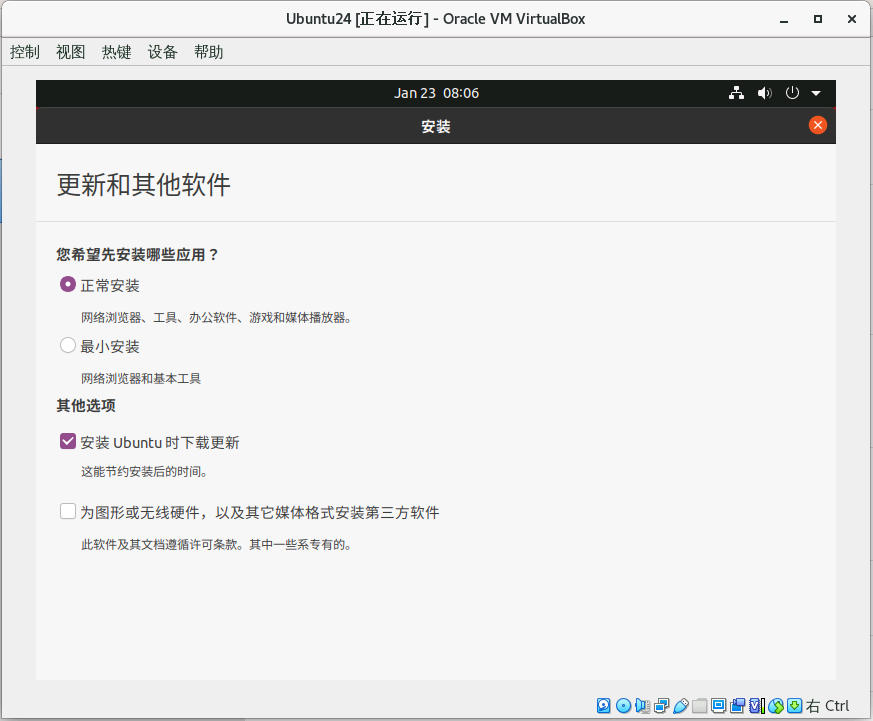
网上有许多根据Alt+鼠标左键或者Win建+鼠标左键拖动解决的方法,但你会发现还是拖不到合适的位置。
这个方法,应该是适用于版本较低的Ubuntu上,不适用于最新版。
1.Ctrl+Alt+t 打开终端面板
2.输入xrandr然后回车,查看支持的所有分辨率
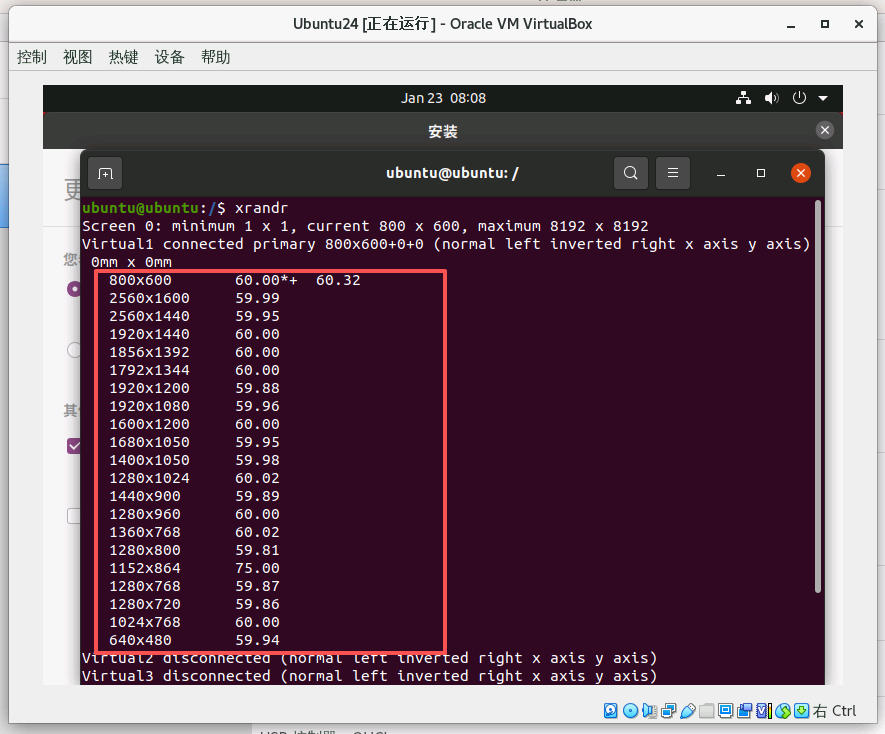
3.选择其中一个合适分辨率,比如输入:xrandr -s 1920x1080,然后回车
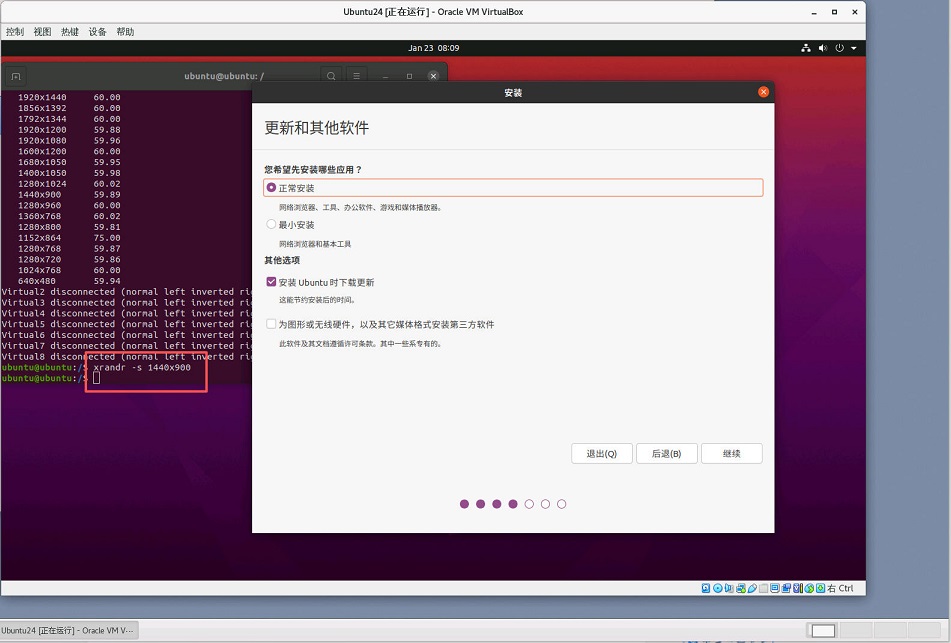
问题即可解决。
-
猜你喜欢
- 个人资料
-

Java小强
未曾清贫难成人,不经打击老天真。
自古英雄出炼狱,从来富贵入凡尘。
- 站内搜索
-
- 文章分类
- 最新文章
- 热门文章
发表评论: