OnlyOffice安装-官方镜像
22860 开源 | 2026-1-31-
ONLYOFFICE是由 Ascensio System SIA 推出的一款功能强大的在线协作办公套件,包括文档(Word)、电子表格(Excel),演示文稿(PowerPoint)和表单(Forms)编辑器,并且在最新的7.5版本中,还添加了PDF编辑器,都在同一个软件。在7.1版本以上,ONLYOFFICE还可以免费把PDF转Word。
不仅提供了 桌面、移动端应用,还支持 集成/内嵌 到 第三方系统 内部(内嵌示例)。
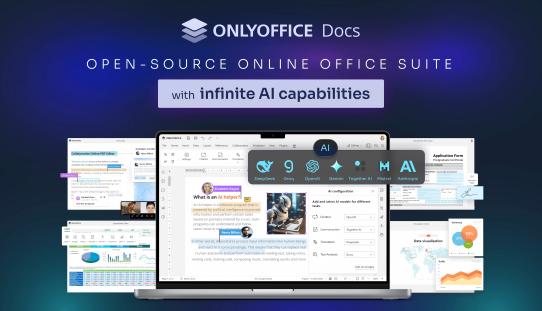
官网:https://www.onlyoffice.com/
开源地址:https://github.com/ONLYOFFICE
关于开放的内容,网上太多了,不再重复陈述。这里要说的是社区版,社区版和商业版,开发版的区别如下
Pricing and licensing Community Edition Enterprise Edition Developer Edition Get it now Start Free Trial Start Free Trial Cost FREE Go to the pricing page Go to the pricing page Simultaneous connections up to 20 maximum As in chosen pricing plan As in chosen pricing plan Number of users up to 20 recommended As in chosen pricing plan As in chosen pricing plan Clusterization - + + License GNU AGPL v.3 Proprietary Proprietary Support Community Edition Enterprise Edition Developer Edition Documentation Help Center Help Center Help Center Standard support GitHub or paid One or three years support included One year support included Premium support Contact Us Contact Us Contact Us Services Community Edition Enterprise Edition Developer Edition Conversion Service + + + Document Builder Service + + + Interface Community Edition Enterprise Edition Developer Edition Tabbed interface + + + Dark theme + + + 125%, 150%, 175%, 200% scaling + + + White label - - + Integrated test example (node.js) + + + Mobile web editors - +** +** Plugins & Macros Community Edition Enterprise Edition Developer Edition Plugins + + + Macros + + + Collaborative capabilities Community Edition Enterprise Edition Developer Edition Two co-editing modes + + + Comments + + + Built-in chat + + + Review and tracking changes + + + Display modes of tracking changes + + + Version history + + + Document Editor features Community Edition Enterprise Edition Developer Edition Font and paragraph formatting + + + Object insertion + + + Adding Content control + + + Editing Content control + + + Layout tools + + + Table of contents + + + Navigation panel + + + Mail Merge + + + Comparing Documents + + + Spreadsheet Editor features Community Edition Enterprise Edition Developer Edition Font and paragraph formatting + + + Object insertion + + + Functions, formulas, equations + + + Table templates + + + Pivot tables + + + Data validation + + + Conditional formatting + + + Sparklines + + + Sheet Views + + + Presentation Editor features Community Edition Enterprise Edition Developer Edition Font and paragraph formatting + + + Object insertion + + + Transitions + + + Animations + + + Presenter mode + + + Notes + + + Slide Master + + + Form creator features Community Edition Enterprise Edition Developer Edition Adding form fields + + + Form preview + + + Saving as PDF + + + Role-matching colors for fields + + + PDF Editor features Community Edition Enterprise Edition Developer Edition Text editing and co-editing + + + Work with pages (adding, deleting, rotating) + + + Inserting objects (shapes, images, hyperlinks, etc.) + + + Text annotations (highlight, underline, cross out, stamps) + + + Comments + + + Freehand drawings + + + Form filling + + + Security features Community Edition Enterprise Edition Developer Edition End-to-end encryption via Private Rooms*** + + - Get it now Start Free Trial Start Free Trial 总结来说,就是移动页面编辑、和最多20人使用。
如果你使用的是官方的版本,因为安装特别复杂,建议就是直接使用官方的Docker镜像,你可以直接在所在镜像源上搜索,如果使用了宝塔,甚至可以直接一键安装
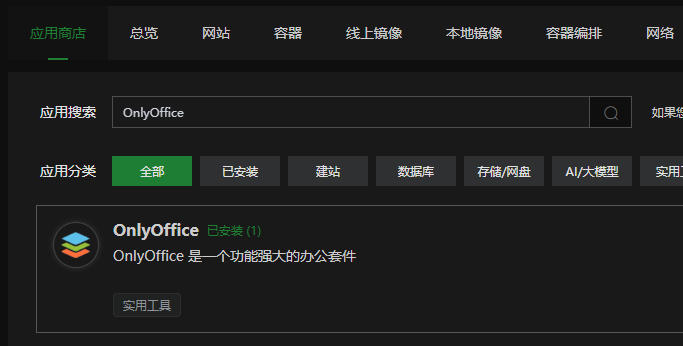
安装后,直接访问其映射出来的端口,有这么几个地址:
健康检查:http://IP:PORT/healthcheck(默认可用)
欢迎页面:http://IP:PORT/welcome(默认可用)
测试页面:http://IP:PORT/example
后台页面:http://IP:PORT/admin
前面两个默认开启,可以直接访问,但是测试页面和后台,需要配置一下,如何配置,就是打开欢迎页面,上面有详细说明
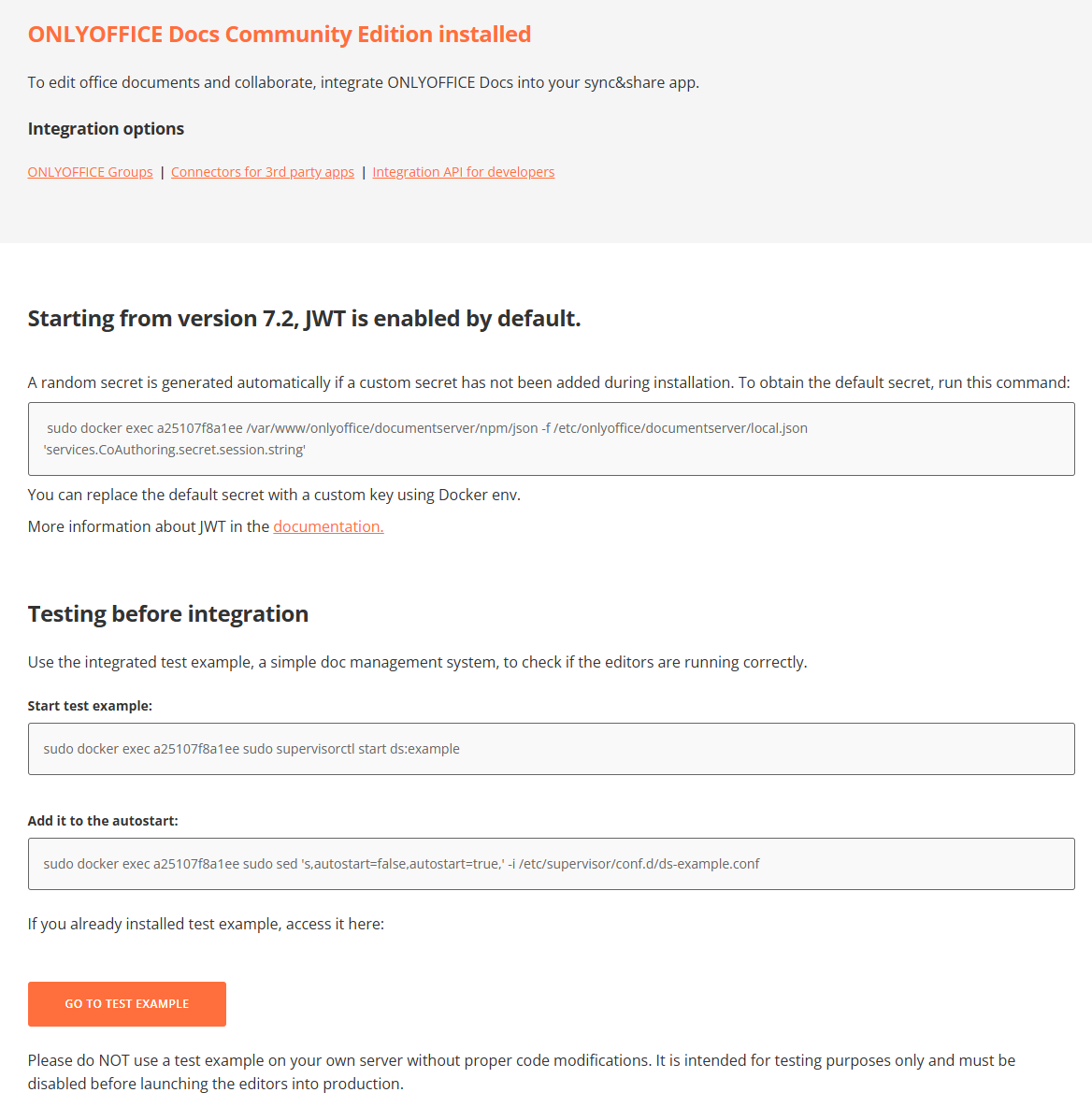
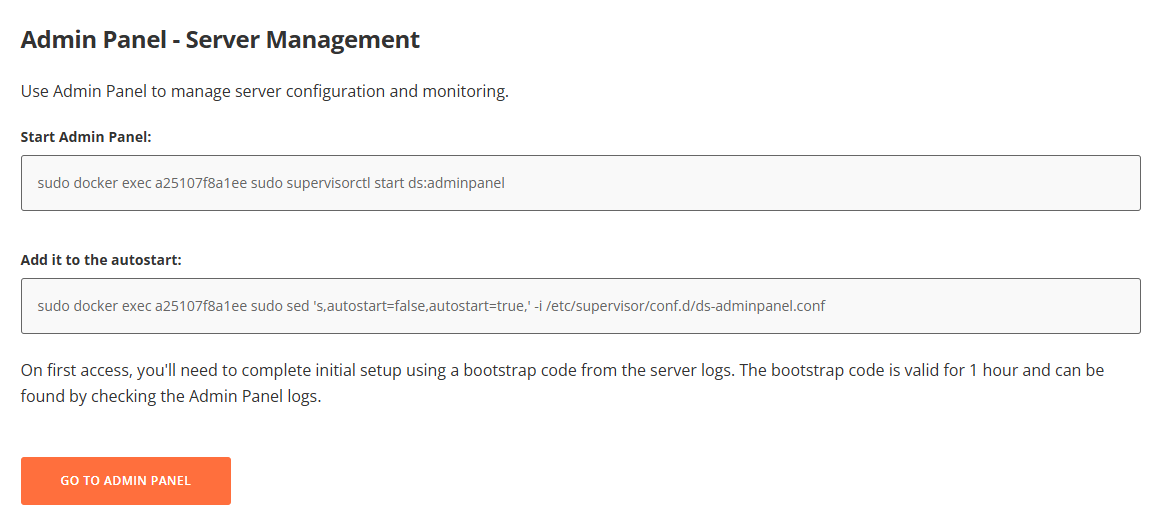
当你执行了# 使用集成测试示例(一个简单的文档管理系统)来检查编辑器是否正常运行 sudo docker exec c22a38471c48 sudo supervisorctl start ds:example # 将其添加到自动启动项 sudo docker exec c22a38471c48 sudo sed 's,autostart=false,autostart=true,' -i /etc/supervisor/conf.d/ds-example.conf
就可以访问测试页面
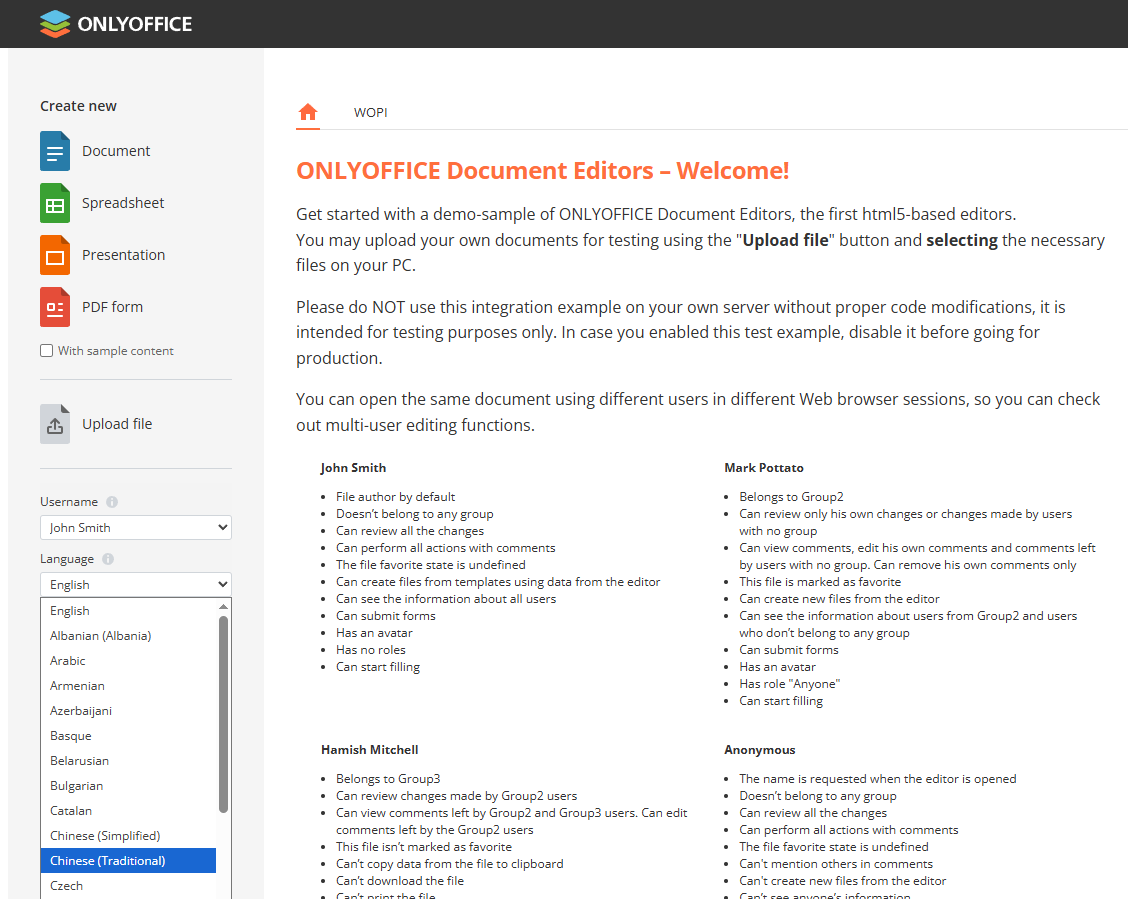
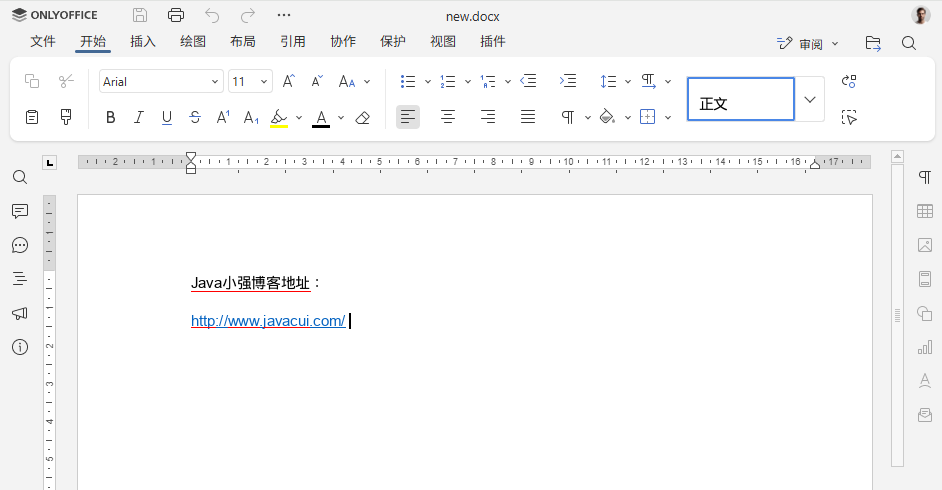
当你执行了
# 使用管理面板管理服务器配置和监控
sudo docker exec c22a38471c48 sudo supervisorctl start ds:adminpanel
# 将其添加到自动启动项
sudo docker exec c22a38471c48 sudo sed 's,autostart=false,autostart=true,' -i /etc/supervisor/conf.d/ds-adminpanel.conf
然后访问后台地址,第一次访问,需要输入一个Token,这个值,注意不是你的JWT秘钥,这个值可以在容器内查到
# 进入容器
docker exec -it a25107f8a1ee /bin/bash
# 进入目录
cd /var/log/onlyoffice/documentserver/adminpanel
# 查看文件
cat out.log
注意:每次启动,这个值就会变一次,所以如果你启动过多次,你会看到多个值
[2026-01-31T01:44:13.977] [WARN] [localhost] [docId] [userId] nodeJS - AdminPanel server starting...
[2026-01-31T01:44:13.981] [WARN] [localhost] [docId] [userId] nodeJS - AdminPanel server listening on port 9000
[2026-01-31T01:44:13.983] [WARN] [localhost] [docId] [userId] nodeJS - AdminPanel SETUP REQUIRED | Bootstrap code: 6XVY5C8HSLHD | Expires: 2026-01-31T02:00:00.000Z | Open: http://host/admin
[2026-01-31T01:52:38.711] [WARN] [localhost] [docId] [userId] nodeJS - AdminPanel server starting...
[2026-01-31T01:52:38.714] [WARN] [localhost] [docId] [userId] nodeJS - AdminPanel server listening on port 9000
[2026-01-31T01:52:38.716] [WARN] [localhost] [docId] [userId] nodeJS - AdminPanel SETUP REQUIRED | Bootstrap code: 3PGU5TGT1Z81 | Expires: 2026-01-31T02:00:00.000Z | Open: http://host/admin
[2026-01-31T01:59:32.301] [WARN] [localhost] [docId] [userId] nodeJS - AdminPanel server starting...
[2026-01-31T01:59:32.305] [WARN] [localhost] [docId] [userId] nodeJS - AdminPanel server listening on port 9000
[2026-01-31T01:59:32.307] [WARN] [localhost] [docId] [userId] nodeJS - AdminPanel SETUP REQUIRED | Bootstrap code: EQ6UKD5509KE | Expires: 2026-01-31T02:00:00.000Z | Open: http://host/admin
[2026-01-31T02:00:20.695] [WARN] [localhost] [docId] [userId] nodeJS - AdminPanel server starting...
[2026-01-31T02:00:20.699] [WARN] [localhost] [docId] [userId] nodeJS - AdminPanel server listening on port 9000
[2026-01-31T02:00:20.702] [WARN] [localhost] [docId] [userId] nodeJS - AdminPanel SETUP REQUIRED | Bootstrap code: O71CMFSRPGS5 | Expires: 2026-01-31T03:00:00.000Z | Open: http://host/admin
Bootstrap code后就是,就是你需要的Token,注意设置一个管理员密码
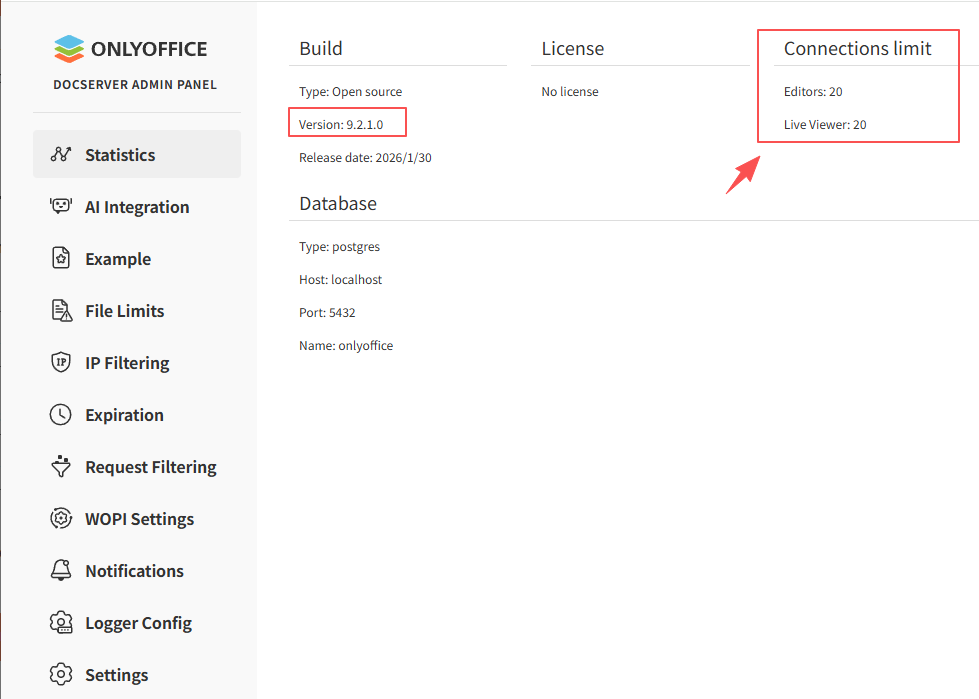
此时,你的OnlyOffice服务就算安装完毕,可以让前段同事进行相关开发了。
-
猜你喜欢
- 个人资料
-

Java小强
未曾清贫难成人,不经打击老天真。
自古英雄出炼狱,从来富贵入凡尘。
- 站内搜索
-
- 文章分类
- 最新文章
- 热门文章
发表评论: